
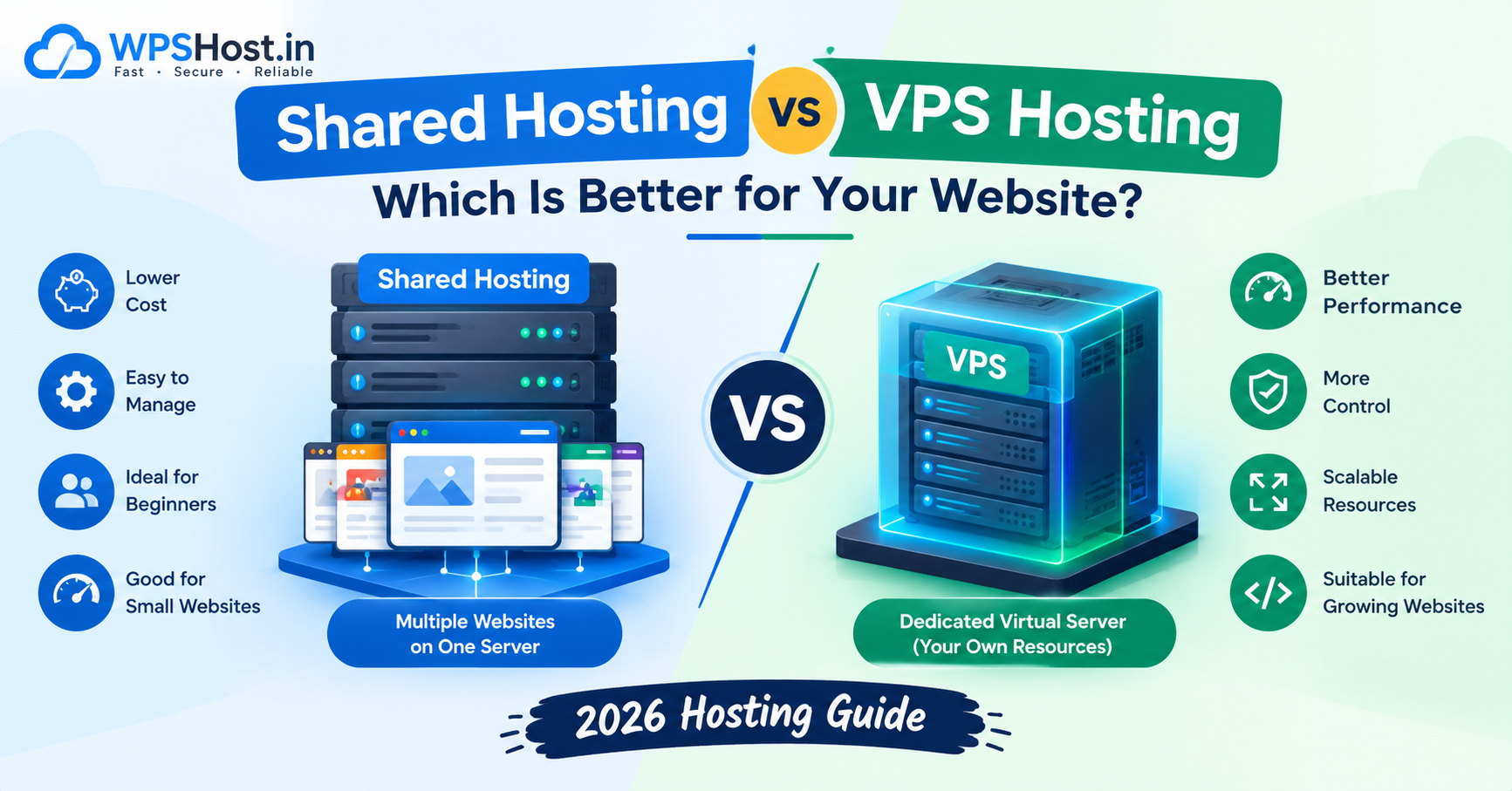
Shared Hosting vs VPS Hosting: Which Is Better for Your Website in 2026?
Choosing the right web hosting service is one of the most important decisions when launching a website. If you are comparing shared hosting vs VPS hosting, you need to understand their differences in performance, cost, security, scalability, and server management.
Shared hosting is generally suitable for beginners and smaller websites, while VPS hosting offers an isolated virtual server environment with more control over resources and configuration.
But which option is right for your website?
In this guide, we will explain how shared and VPS hosting work, compare their key features, and help you choose the right hosting solution for your needs.
What Is Shared Hosting?
Shared hosting is a web hosting service in which multiple hosting accounts use resources on the same physical server.
The hosting provider manages the underlying server infrastructure, allowing website owners to focus on creating content and managing their websites.
Shared hosting is commonly used for personal blogs, small business websites, portfolios, and websites with modest traffic.
Advantages of Shared Hosting
- Affordable pricing: Shared hosting is generally less expensive than VPS hosting.
- Easy to manage: Many plans include a graphical control panel such as cPanel.
- Beginner-friendly: You usually do not need advanced server administration skills.
- Simple website setup: Some providers include application installers for WordPress and other supported software.
- Maintenance handled by the provider: The hosting company typically manages the underlying server.
Disadvantages of Shared Hosting
- Shared resources: Multiple accounts use resources on the same server, although account limits and isolation vary by provider.
- Limited server control: You usually cannot change system-level settings.
- Resource restrictions: CPU, memory, entry processes, and other limits may affect demanding websites.
- Less flexibility: Installing custom server software may not be possible.
- Performance variability: Heavy workloads on the server can affect performance, depending on the provider's configuration and isolation mechanisms.
Shared hosting can be an excellent starting point when your website has relatively modest resource requirements.
What Is VPS Hosting?
VPS stands for Virtual Private Server.
VPS hosting uses virtualization to divide a physical server into separate virtual server environments. Each VPS has allocated resources and an operating environment that is isolated from other VPS instances to varying degrees, depending on the virtualization technology.
VPS hosting generally provides more control than shared hosting. Depending on the plan, you may receive root or administrator access, allowing you to configure server software, manage services, and install supported applications.
VPS hosting is commonly used by growing businesses, developers, agencies, custom applications, and websites that need more control over their environment.
Advantages of VPS Hosting
- Allocated resources: CPU, RAM, and storage are assigned to your virtual server according to your plan.
- Greater control: Many VPS plans provide root or administrator access.
- Flexible configuration: You can install compatible software and configure supported services.
- Scalability: Many providers allow you to upgrade resources as your requirements grow.
- Application flexibility: VPS hosting can support custom applications and server-side technologies.
Disadvantages of VPS Hosting
- Higher cost: VPS plans generally cost more than entry-level shared hosting.
- Technical knowledge: Unmanaged VPS hosting may require Linux, networking, security, and server administration skills.
- Additional maintenance: You may be responsible for updates, firewalls, backups, monitoring, and application security.
- Management costs: Managed VPS services can cost more than unmanaged plans.
- Resource limitations still apply: A VPS cannot exceed its allocated resources without an upgrade or configuration change.
VPS hosting is a useful option when your website needs more control, dedicated resource allocations, or a configurable server environment.
Shared Hosting vs VPS Hosting: Key Differences
The main difference between shared hosting and VPS hosting is the level of isolation, resource allocation, administrative control, and responsibility for server management.
FeatureShared HostingVPS HostingServer environmentMultiple hosting accounts share a serverEach customer gets a virtual server environmentCostGenerally lowerGenerally higherResource allocationSubject to shared-server and account limitsResources allocated according to the VPS planPerformanceSuitable for modest workloadsMore control over
resources and workload configurationServer accessUsually restrictedRoot access often availableTechnical skillsBasic website management is usually sufficientMore skills may be needed, especially for unmanaged VPSCustom softwareLimited by provider configurationGreater flexibility, subject to the VPS environmentScalabilityUpgrade to another hosting planUpgrade VPS resources or move to a larger serverMaintenanceProvider handles most underlying server maintenanceResponsibility depends on managed or unmanaged serviceBest suited forBlogs and small websitesGrowing websites and custom applications
Remember that actual performance depends on the hosting provider, server configuration, resource limits, website optimization, and workload.
Shared Hosting vs VPS Hosting: Which Is Faster?
VPS hosting can provide more predictable performance for resource-intensive websites because resources are allocated to a virtual server and you have greater control over the environment.
However, VPS hosting is not automatically faster than every shared hosting plan.
A well-optimized website on a quality shared hosting server may outperform a poorly configured VPS with insufficient RAM, slow storage, or inefficient software.
Website speed also depends on factors such as:
- Server CPU and memory.
- Storage technology.
- PHP and database configuration.
- Website code and plugins.
- Page caching and object caching.
- Content delivery networks.
- Database query efficiency.
- Traffic volume and concurrent requests.
If you run WordPress, optimize your theme, plugins, images, and caching before assuming that upgrading your hosting will solve every speed problem.
Shared Hosting vs VPS Hosting: Which Is More Secure?
Both shared hosting and VPS hosting can be secure when properly configured and maintained.
Shared hosting providers generally manage the underlying server and implement account isolation. However, customers still need to secure their own websites, applications, passwords, and plugins.
VPS hosting offers more control over the server environment, but additional control also creates additional responsibilities.
For an unmanaged VPS, you may need to configure:
- Firewall rules.
- SSH access and authentication.
- Operating system updates.
- Web server security.
- Database access permissions.
- Malware monitoring.
- Backup and recovery procedures.
A VPS with poor security configuration can be less secure than a professionally managed shared hosting account.
Best practice: Choose hosting that provides appropriate security controls and maintain regular backups, strong passwords, updated software, and HTTPS.
Shared Hosting vs VPS Hosting: Which Is Cheaper?
Shared hosting is generally the more affordable option for beginners because the hosting provider distributes server costs among multiple customers.
VPS hosting typically costs more because you receive a virtual server environment with allocated resources and additional configuration options.
However, the cheapest plan is not necessarily the most economical choice.
Before purchasing, compare:
- Initial subscription price.
- Renewal price.
- CPU and RAM allocation.
- Storage capacity and type.
- Backup availability.
- Control panel licensing fees.
- Managed support charges.
- Migration costs.
- Taxes and additional fees.
If you choose an unmanaged VPS, remember to account for the time and expertise required to maintain it.
When Should You Choose Shared Hosting?
Shared hosting is often the right choice when you want a straightforward, affordable way to publish a website.
Consider shared hosting if:
- You are launching your first website.
- You run a personal blog.
- Your business website receives modest traffic.
- You want to use WordPress without managing a server.
- You do not need custom server-level configuration.
- You prefer the hosting provider to manage the underlying infrastructure.
For many small businesses and new bloggers, shared hosting provides the features needed to get started without unnecessary complexity.
When Should You Choose VPS Hosting?
VPS hosting becomes worth considering when your website needs more resources, flexibility, or administrative control.
Consider VPS hosting if:
- Your website has outgrown its current hosting plan.
- Your application needs custom server software.
- You require root or administrator access.
- You run resource-intensive web applications.
- You need a configurable environment for development or testing.
- You have the technical skills or budget for server management.
A VPS may also be suitable for agencies and developers managing applications with specific server requirements.
Before upgrading, review your existing website's resource usage and identify the actual performance bottleneck.
Can You Upgrade from Shared Hosting to VPS Hosting?
Yes. Many websites can be migrated from shared hosting to a VPS when their requirements change.
A typical migration involves:
- Preparing the new VPS environment.
- Installing the required web server, PHP version, database software, and other dependencies.
- Transferring website files and databases.
- Configuring domains, SSL certificates, and application settings.
- Testing the website on the new server.
- Updating DNS records when ready.
- Monitoring the website after the migration.
Email accounts, cron jobs, application dependencies, and DNS records may also need to be transferred or reconfigured.
Create a complete backup before migration and plan the process to minimize downtime.
If you do not have server administration experience, consider a managed VPS or professional migration assistance.
Shared Hosting vs VPS Hosting for WordPress
Both shared hosting and VPS hosting can run WordPress.
For a new blog or small business website, shared hosting may provide sufficient resources at a lower cost.
For a larger WordPress website, WooCommerce store, membership platform, or website with demanding plugins, VPS hosting may offer more control over PHP workers, memory, database configuration, and caching.
However, the right choice depends on actual resource usage rather than a fixed traffic threshold.
Before upgrading, check:
- CPU and memory usage.
- PHP worker limits.
- Database performance.
- Server response time.
- Plugin and theme efficiency.
- Caching configuration.
- Concurrent visitor activity.
A properly optimized WordPress website can perform well on either hosting type when the environment matches its workload.
How to Choose the Right Hosting Plan
Use this checklist before purchasing a hosting plan:
Step 1: Identify your website type. A blog, business website, online store, and custom application may have different requirements.
Step 2: Estimate your resource needs. Consider storage, memory, CPU usage, traffic, and database activity.
Step 3: Compare management options. Decide whether you want the provider to handle server administration or prefer managing it yourself.
Step 4: Review security and backups. Check backup frequency, recovery options, SSL support, and security responsibilities.
Step 5: Compare total costs. Include renewal prices, control panel licenses, backups, support, and management fees.
Step 6: Plan for growth. Choose a provider with a reasonable upgrade or migration path.
The best hosting plan is one that meets your current requirements without creating unnecessary expense or administrative work.
Why Consider WPSHost.in?
If you are looking for web hosting for a blog, business website, or online project, explore the hosting plans available at WPSHost.in.
Compare the available resources, supported features, backup options, security measures, support arrangements, and renewal pricing before choosing a plan.
If you are starting a small website, look for a suitable entry-level hosting option. If you need more server control or allocated resources, compare the VPS options available for your requirements.
Explore WPSHost.in to find a hosting solution that matches your website's needs.
Frequently Asked Questions
1. Is VPS hosting better than shared hosting?
VPS hosting provides greater control and allocated resources, making it suitable for some demanding workloads. Shared hosting is generally more affordable and easier for beginners. The better choice depends on your website's needs.
2. Is shared hosting good for beginners?
Yes. Shared hosting is often suitable for beginners because it is generally affordable and the provider manages most underlying server maintenance.
3. Is VPS hosting faster than shared hosting?
VPS hosting can provide more predictable performance for resource-intensive workloads, but speed depends on server resources, configuration, and website optimization. A well-configured shared hosting plan can be faster than a poorly configured VPS.
4. Can I host WordPress on a VPS?
Yes. A VPS can run WordPress if it meets the software requirements and is configured correctly. You may need to manage the web server, PHP, database, SSL, updates, and security yourself.
5. Do I need technical knowledge to use VPS hosting?
Unmanaged VPS hosting usually requires technical knowledge. A managed VPS can reduce administrative responsibilities, depending on the provider's service scope.
6. Is VPS hosting more secure than shared hosting?
Not automatically. VPS hosting offers more configuration control, but security depends on isolation, software updates, access controls, monitoring, and maintenance. A well-managed shared hosting account can also be secure.
7. Can I upgrade from shared hosting to VPS hosting later?
Yes. You can migrate your website to a VPS when your resource or configuration requirements grow. Plan the migration carefully and test the website before changing DNS records.
8. Which hosting is best for a small business website?
Shared hosting can be suitable for a small business website with modest resource requirements. A VPS may be more appropriate if the website needs additional resources, custom software, or greater administrative control.
9. Is VPS hosting worth the extra cost?
VPS hosting may be worth the additional cost when you need more control, allocated resources, or a custom server environment. If your website runs comfortably on shared hosting, upgrading may not provide enough benefit to justify the expense.
10. What is the main difference between shared hosting and VPS hosting?
The main difference is the hosting environment and level of control. Shared hosting accounts use a shared server environment, while VPS hosting provides an isolated virtual server with resources allocated according to the selected plan.
Conclusion
When comparing shared hosting vs VPS hosting, consider your budget, technical skills, resource requirements, and plans for growth.
Shared hosting is often the best starting point for beginners, blogs, and smaller business websites. VPS hosting is worth considering when you need more control, allocated resources, or a configurable environment for demanding applications.
There is no single hosting solution that is best for every website. Choose a plan that meets your requirements today and gives you a practical path to grow.
Explore the hosting options at WPSHost.in and compare the available features before making your decision.